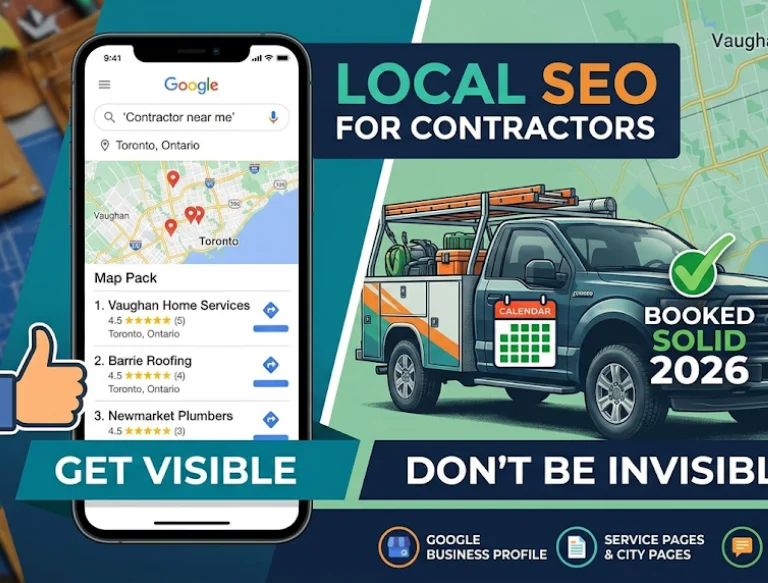









Your Google Business Profile (GBP) is the most important marketing asset you own as a contractor — more than your website, more than your ads, more than anything else. It's what powers the Map Pack, the three-result box that sits above organic search for nearly every local query. And for most contractors, it's also the biggest source of untapped opportunity.
This guide walks through every field on your GBP and what to actually do with it. We're not repeating Google's help docs — we're covering what we've seen drive real ranking movement across hundreds of contractor profiles.

Why Google Business Profile Matters for Contractors
The Map Pack captures roughly 44% of clicks on local-intent searches. For contractors, most service queries are local-intent. That means your GBP is competing for close to half the traffic on every "plumber near me" or "roofer Toronto" search. A mediocre GBP leaves the majority of your market to competitors — even if your website is better.
Claim and Verify (Correctly)
Claiming is simple. Verifying the right way isn't. Google now uses video verification for most contractors, where you walk through your location showing business signage, tools, and vehicles. Prepare a 60-second walkthrough before starting. If you fail verification once, it can take weeks to retry. Don't use a virtual office or mailbox address — it's the fastest way to get suspended.
Categories: Get This Right or Nothing Else Matters
Your primary category is the single strongest ranking signal on your profile. Pick the most specific category that matches your core service. "Roofing Contractor" beats "General Contractor" for a roofer. "Plumber" beats "Emergency Service" for a plumber. If Google offers a category that matches your trade exactly, use it.
Add secondary categories for every legitimate service you offer — up to nine additional categories are allowed. Don't stuff in unrelated ones (Google ignores or penalizes this); do add every related niche. A roofer offering metal roofing should add "Metal Roofing Contractor." An HVAC company doing ductwork should add "Air Duct Cleaning Service."
Service Areas, Service Lists, and Hours
Service areas should reflect where you actually go — not where you wish you went. Overreaching triggers Google's spam filters and can tank your rankings. Stick to the cities and neighbourhoods you service weekly.
The Services section is underused by most contractors. Every service you offer should be listed with a short description that naturally includes service-related keywords. Google uses these descriptions to understand what you do and to match you to relevant queries. If you don't populate it, Google guesses — and guesses poorly.
Hours should be accurate and include any special hours for holidays. Emergency availability should be flagged with the 24/7 setting where genuine, not as a marketing tactic.
Photos, Posts, and Q&A
Upload at least 20 real, high-quality photos across every category Google offers: exterior, interior, team, at work, and products/services. Real job-site photos outperform stock imagery by a wide margin. Refresh monthly.
Post to your GBP weekly. Google rewards profile activity. A post can be a new job, an offer, a tip, or an event — it doesn't have to be elaborate. Five minutes a week, every week, moves rankings.
The Q&A section is often overlooked. Seed it with your most common questions (warranty terms, service area, financing, emergency response time) and answer them yourself. If you don't, strangers or competitors will eventually do it for you.
"Every field on your Google Business Profile is a ranking signal. Leaving any field blank is leaving ranking power on the table — and your competitors are picking it up."
Contruva
The Review Strategy That Ranks
Google weighs three things on reviews: volume, velocity, and recency. A contractor with 45 reviews earned three years ago loses to a contractor with 25 reviews earned in the last six months. Build a consistent system and you'll permanently outpace competitors relying on ad-hoc asks.
- Send an SMS 24 hours after job completion. Not email — SMS response rates are dramatically higher.
- Include a direct review link. Use your GBP short URL, not a generic search link.
- Respond to every review within 48 hours. Google tracks response rate as a ranking signal, and responded reviews build more trust with prospects.
- Never offer incentives. Google can detect it and will suppress or remove reviews.
Common GBP Mistakes That Get You Suspended
- Keyword-stuffing the business name ("ABC Plumbing — Toronto Emergency Plumber 24/7").
- Using a virtual office, UPS Store, or mailbox address.
- Listing a phone number that doesn't match your website.
- Overreaching on service areas.
- Creating duplicate profiles for the same business.
- Inviting reviews from employees or friends (all detectable).
Frequently Asked Questions
Can I rank without a physical address?
Yes — service-area businesses can hide their address on GBP. You still need a legitimate address on file with Google, but it doesn't need to be publicly displayed.
How often should I update my GBP?
Photos monthly. Posts weekly. Categories, services, and hours any time they change. Reviews responded to daily.
What if a competitor is keyword-stuffing their business name?
Report it through the "Suggest an Edit" feature. Google removes violations at a good rate once flagged, and doing so can directly shift Map Pack rankings in your favour.
Your Google Business Profile rewards consistent, deliberate work. Contruva helps you keep review requests, customer communication, and marketing activity organized in one contractor business platform.
Recent Posts